

The Question Classifier node intelligently categorizes user input to route conversations down different workflow paths. Instead of building complex conditional logic, you define classes and let the LLM determine which one fits best based on semantic understanding.Documentation Index
Fetch the complete documentation index at: https://dify-6c0370d8-docs-hitl-2.mintlify.app/llms.txt
Use this file to discover all available pages before exploring further.
Configuration
Input and Model Setup
Input Variable - Select what to classify, typicallysys.query for user questions, but can be any text variable from previous workflow nodes.
Model Selection - Choose an LLM for classification. Faster models work well for simple classes, while more powerful models handle nuanced distinctions better.
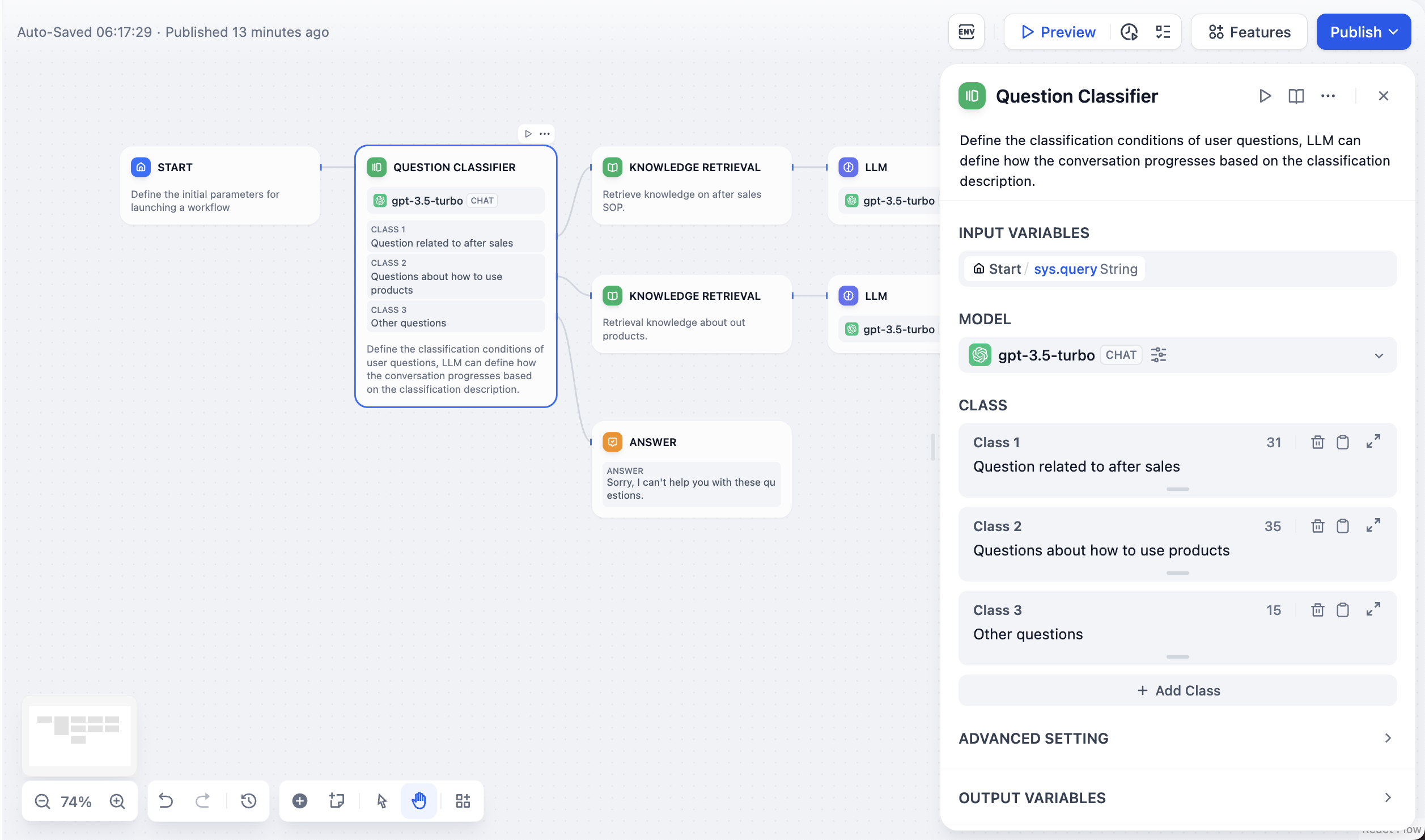
Class Definition
Each class has two independent pieces of text:-
Class description (the editor body) is what the LLM reads when choosing a branch.
Write a precise, distinguishing description of what belongs in the class; boundary phrases like “anything related to…” or “excluding…” help when classes overlap. Exposed downstream as
class_name. -
Class title (the small heading above the editor) is the label shown on the canvas.
Double-click the default CLASS N title to rename it. Exposed downstream as
class_label.
Classification Example
Here’s how the Question Classifier works in a customer service scenario: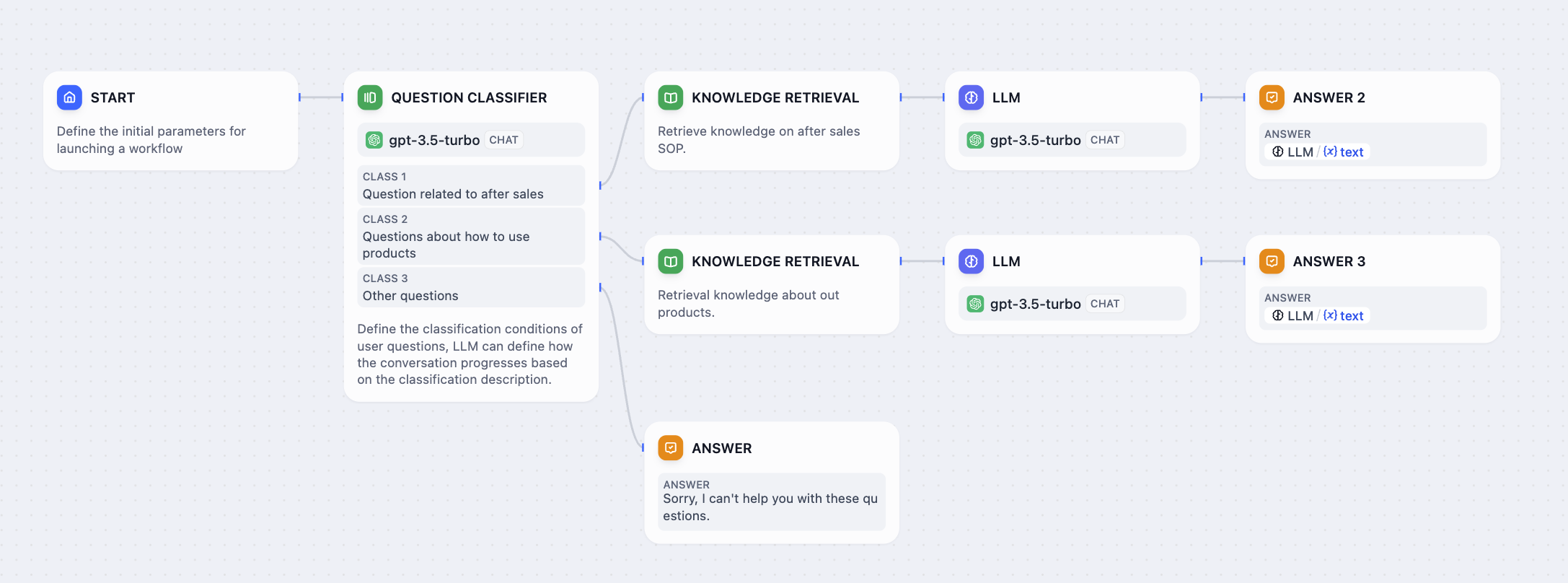
- After-sales service - Warranty claims, returns, repairs, and post-purchase support
- Product usage - Setup instructions, troubleshooting, feature explanations
- Other questions - General inquiries not covered by specific classes
- “How to set up contacts on iPhone 14?” → Product usage
- “What is the warranty period for my purchase?” → After-sales service
- “What’s the weather like today?” → Other questions